
Iru (formerly Kandji) Device Sync
Foxpass can sync macOS device inventory and device status from Iru, formerly known as Kandji. The synchronized inventory can be used for device-aware access control in Foxpass.
Note: Kandji is now Iru, but some API URLs and interface references may continue to use the Kandji name.
Prerequisites
Before starting, make sure you have:
- Administrator access to your Iru account
- Administrator access to the Foxpass Console
- Your organization’s Iru API URL
- An Iru API token
Step 1: Create an Iru API token
Sign in to the Iru Console.
- Navigate to Settings > API.
- Locate your organization’s API URL.
- The URL follows one of these formats:
- US: https://
.api.kandji.io - EU: https://
.api.eu.kandji.io
- US: https://
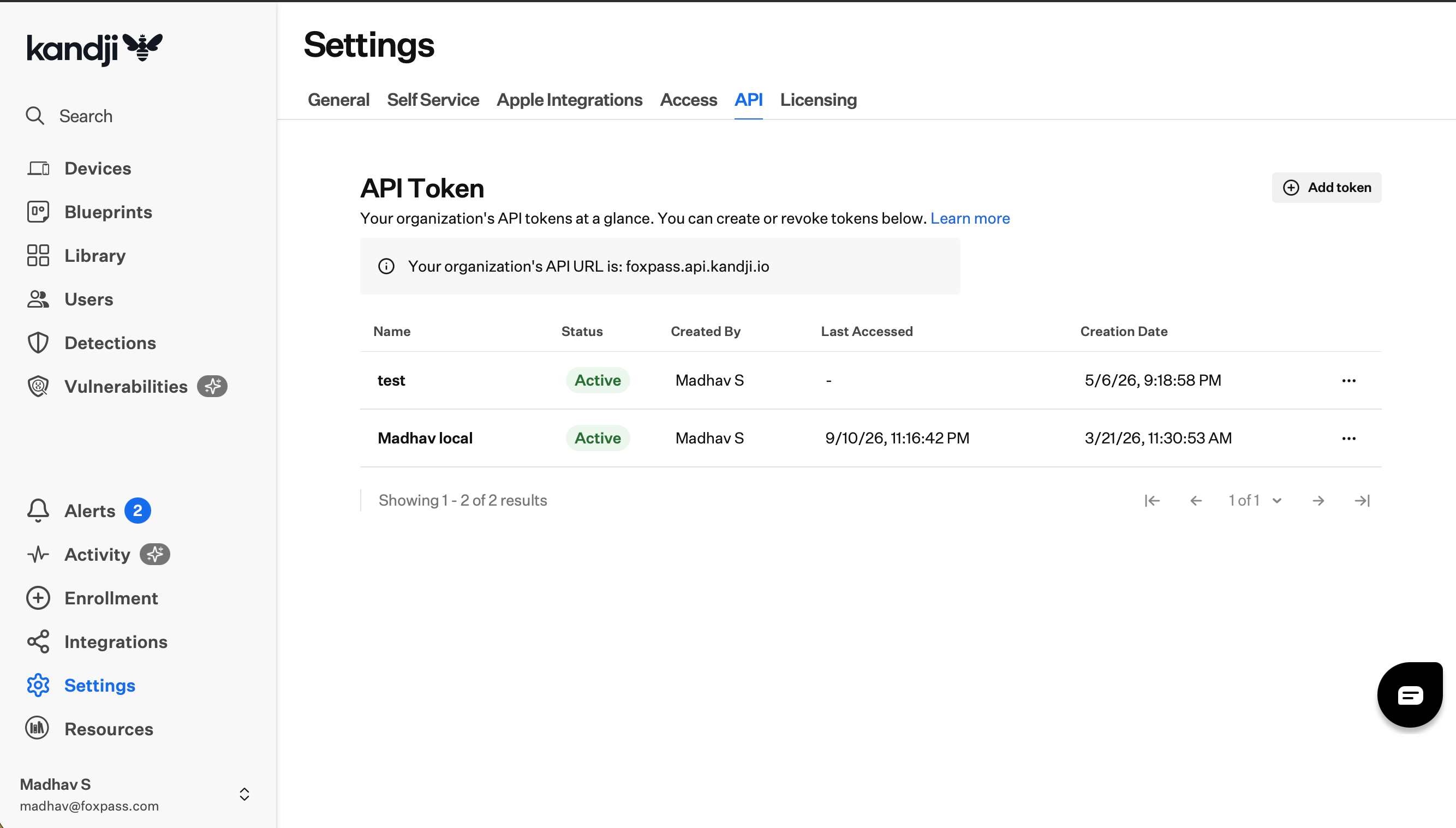
Create an Iru API token
- Click Add token and follow the prompts to create an API token.
- Click Copy token and store it securely.
- The complete token is displayed only once and cannot be viewed again after you leave this screen.
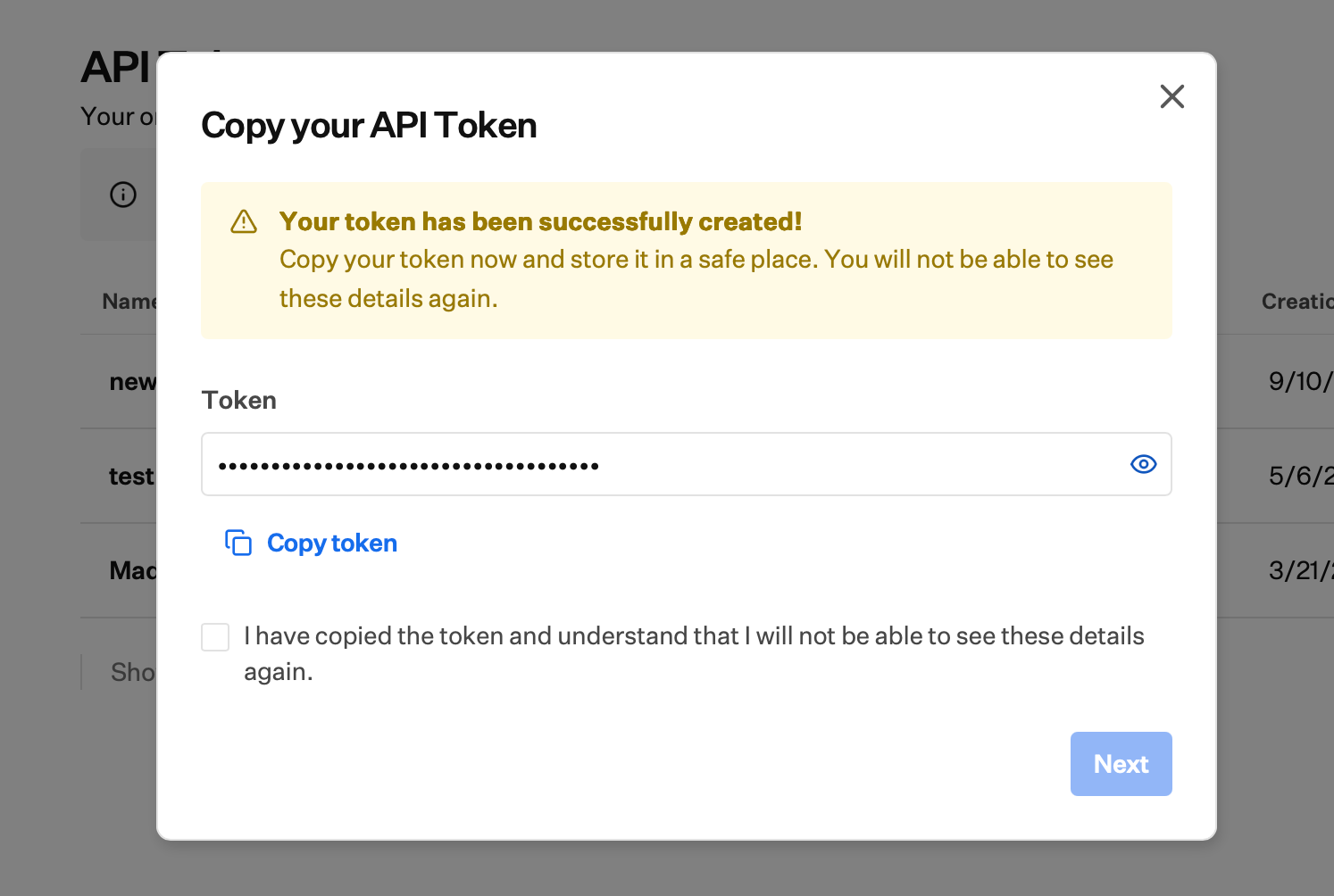
API Token
For additional information, see the Iru Endpoint Management API documentation.
Step 2: Connect Iru to Foxpass
Sign in to the Foxpass Console.
- Navigate to Directory > Device Sync.
- Find Iru (Kandji) and click Connect.
- Enter the following information:
- API URL: Enter the API URL shown under Settings > API in Iru.
- Iru API Key: Enter the API token created in the previous step.
- Click Submit.
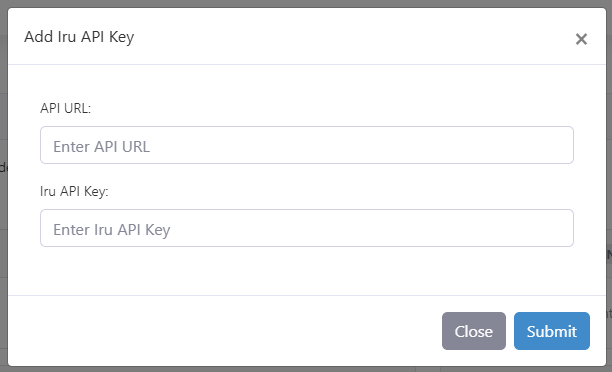
Connect Iru to Foxpass
Foxpass will connect to Iru and begin importing the available device inventory.
Step 3: Verify the device sync
After the sync completes:
- Return to Directory > Device Sync.
- Confirm that Iru shows as Connected and that the sync status is healthy.
- Review the Devices table and confirm that the expected devices appear with Iru as their source.
Device sync behavior
Keep the following behavior in mind:
- Foxpass uses the Iru device ID as the device’s unique identifier. This is an Iru/Kandji UUID and is not the hardware UDID.
- Devices without a device ID are skipped.
- The device name in Iru is used as the device name in Foxpass.
- The device’s last check-in time is displayed as its last-login timestamp in Foxpass.
- A device is marked inactive when Iru reports it as missing or removed.
- Missing or removed devices remain in Foxpass with an inactive status.
- If a previously synchronized device is no longer returned by the Iru API, it is deleted from the Foxpass device inventory.
- Device serial numbers are not stored in Foxpass.
Updated 20 days ago